
Exports
When you have finished your run, a new Export section will appear in the run page. Here you can generate individual reports and certification for organisations and participants.
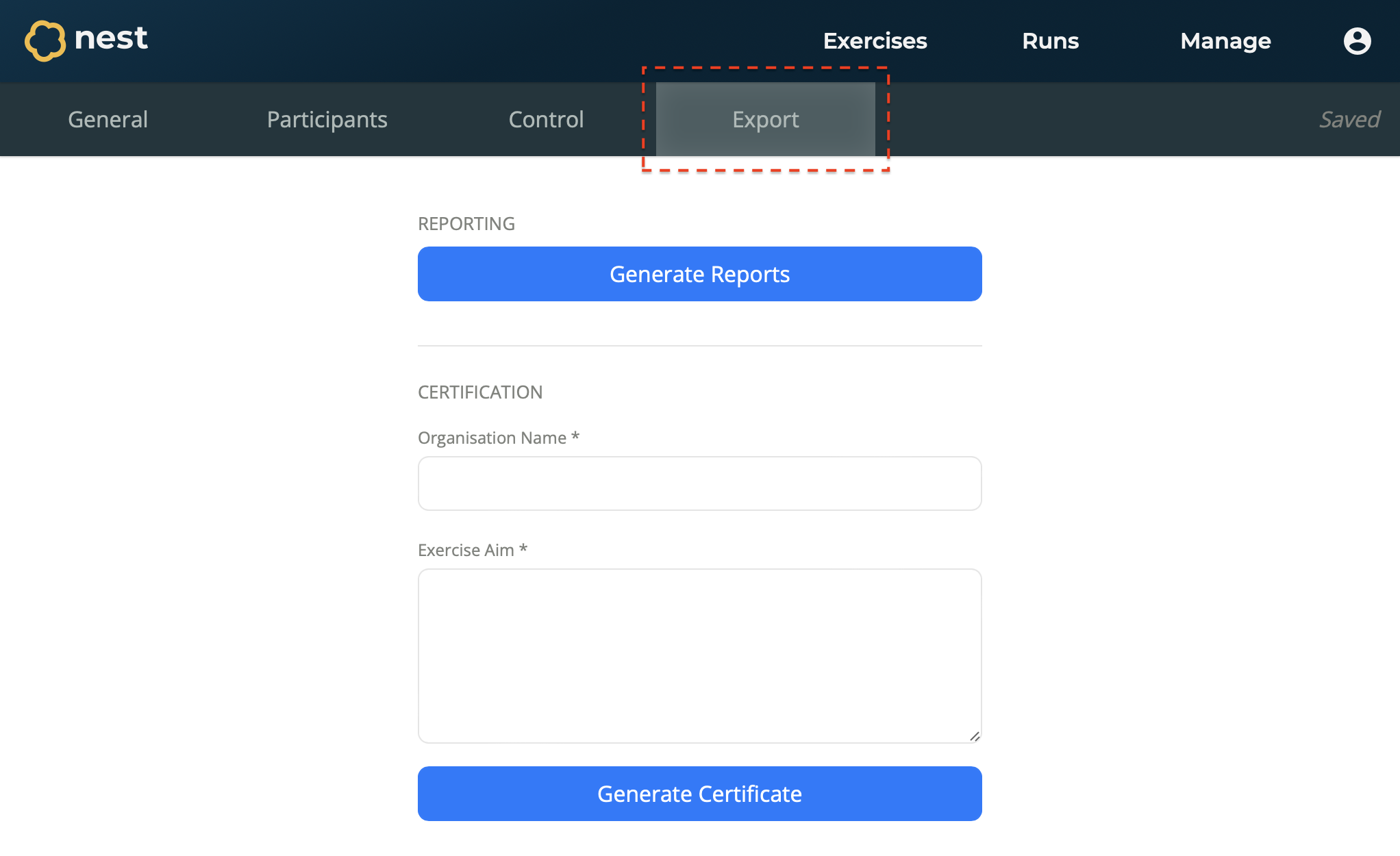
to generate a certificate
Many organisations need to certify training for compliance reasons. For this, Nest allows you to generate certificates of participation.
Open your run from the Runs page.
Navigate to the Export section.
On the Certification form, enter the information for the certificate:
Organisation Name - The name of the organisation receiving the certificate. For example, Stormkestrel Ltd.
Exercise Aim - The aim of the exercise for this organisation. For example, This exercise aimed to evaluate the efficient flow of information between…
Select Generate Certificate.
The certificate is generated and downloaded to your device.
to generate participant reports
To effectively learn from exercises, Nest provides comprehensive participant reports that highlight their performance and offer space to evaluate and reflect on their decisions made during the exercise.
Open your run from the Runs page.
Navigate to the Export section.
Select Generate Reports.
All participant reports are generated and downloaded to your device.