

Social Media Posts
Organisations frequently rely upon walkie talkie messages to receive updates as to what is actually happening on the ground. Walkie talkie messages are typically one-to-one, and tend to use callsigns rather than names.
After the transmission has been received, a summary of the message will automatically appear in participants’ radio log for subsequent review.
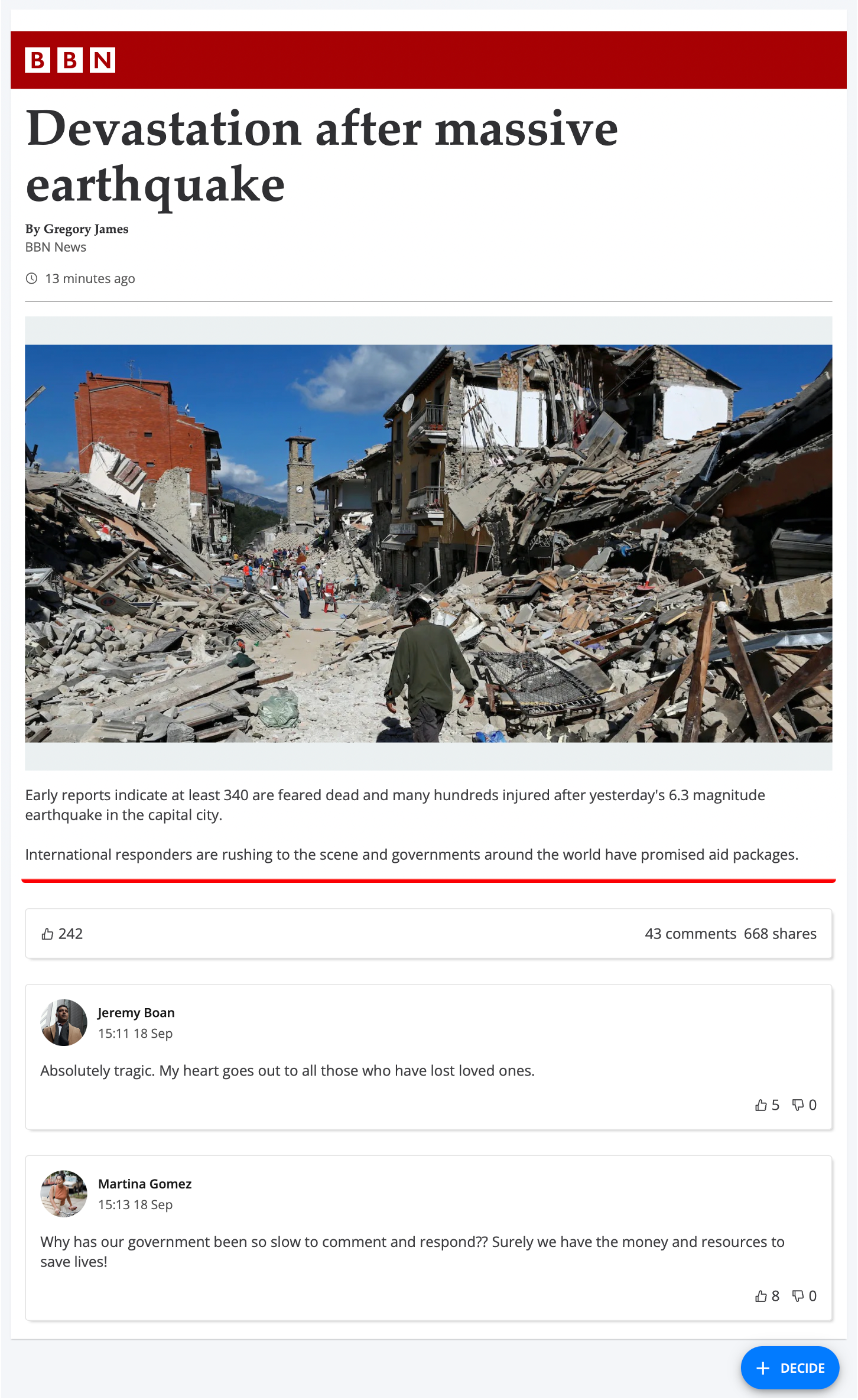
Participant view of a social media inject
To Create a Social media post
Add a Social Media inject to your timeline and setup its basic details. Learn about creating injects.
On the Social Media Details form, enter information for this social media post:
Style - The look and feel of the social media post. Nest provides several presets representing familiar social media websites. For example, BBN News.
You can also create your own custom style, where you provide a brand name and colour for your post. For example, My Custom News, with colour Red.
Author* - The author of the post. For example, Gregory James.
Title* - The title of the post. For example, Devastation after massive earthquake.
Content - The content of the post. For example, Early reports indicate…
Embedded File* - A file embedded into the post. This can be an image, video, or audio file.
Posted X Minutes Ago - How many minutes ago the post was created relative to when it appears in participants’ social media feed. For example, 6.
Total <Post Metadata>* - The number of e.g. comments/shares/views that appears next to the social media post. For example, 64.
Post Comments - Comments that have been made reacting to the main social media post. To create a new comment, select Create, and enter information for this comment:
Author - The author of the comment. For example, Martina Gomez.
Author Avatar - The avatar of the author. Nest provides a list of preset images to choose from, or you can upload your own.
Comment - The content of the comment. For example, Why has our government been so slow…
Posted X Minutes Ago - How many minutes ago the comment was made relative to when the original post was created. For example, 14.
Total Likes - The number of likes on the comment. For example, 8.
Select Confirm.
The social media inject is created and added to the timeline.
*Restricted on some social media post styles.